
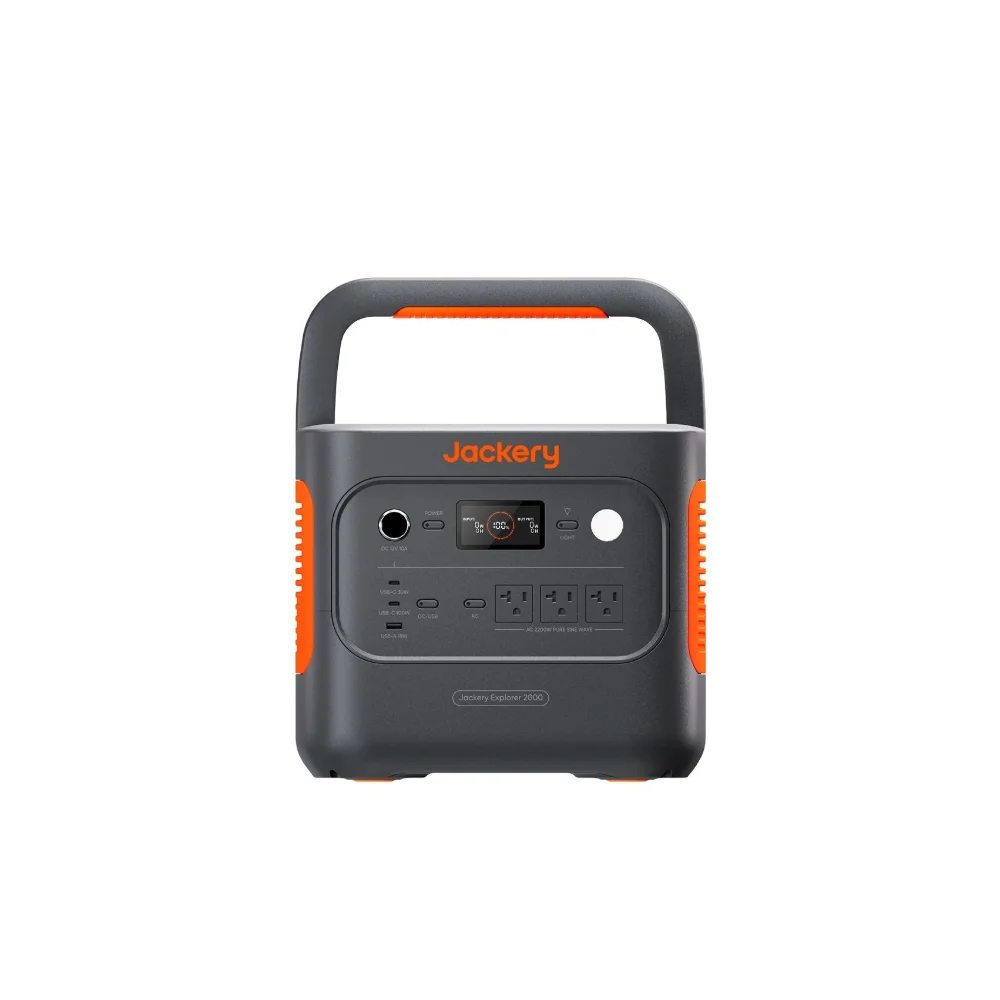

A dead laptop battery at 2 p.m. is a different problem than a dead phone battery. There’s no gas station charger cable, no borrowing a friend’s brick that happens to fit, and if you’re on a deadline in a co-working van, a cabin with spotty power, or a beach town with rolling outages, you need real watts, not a trickle. A phone power bank might push 20 or 30 watts through USB-C — enough for a phone, not enough to keep a 65-watt laptop charging while you’re actively using it. That’s the gap a portable power station is built to close, and getting the size and output right is the difference between a station that quietly gets you through a workday and one that dies an hour before you do.
How much power a remote workstation actually draws
Laptops vary a lot more in power draw than people expect, and the number on the charging brick is the number that matters — not the laptop’s screen size or price.
- Thin-and-light ultrabooks (13–14 inch). Most charge at 30–45 watts. Think MacBook Air, Dell XPS 13, most Chromebooks.
- Mainstream 15–16 inch laptops. Typically 65–100 watts, covering most MacBook Pro and business laptop chargers.
- Gaming and mobile workstation laptops. 100–240 watts is common, and these often can’t be fully powered over USB-C at all — they need the stock barrel-plug adapter and an AC outlet.
- Add-ons. A portable monitor draws 10–25 watts, a phone charging alongside adds 15–20 watts, and a mesh router or hotspot adds another 10–15 watts continuously.
Add it up and a realistic full-day remote setup — laptop, phone top-ups, maybe a small monitor — pulls somewhere between 300 and 700 watt-hours over eight hours, depending on how much you’re actually charging versus just running.
Watt-hours decide how long you last, not how fast you charge
A power station’s watt-hour (Wh) rating is its fuel tank. A 60-watt-hour laptop battery pulling 45 watts from the wall takes roughly 90 minutes to fill from empty, and a 288Wh station like the Jackery Explorer 300 Plus can do that four or five times before it needs its own recharge — plenty for a long work trip if you’re not also running other gear. Step up to something in the 500Wh class, like the EcoFlow RIVER 2 Max, and you’ve got enough headroom for a laptop, a phone, and a small monitor across a full working day with margin left over, which matters more than people think when a job runs long or a flight gets delayed.
USB-C PD output: the spec that decides if it charges your laptop at all
Watt-hours tell you how long a station lasts. The USB-C Power Delivery (PD) rating on its output port tells you whether it can charge your laptop in the first place. A station rated for 60W USB-C PD output will charge a MacBook Air fine but will only trickle-charge a 96W MacBook Pro while it’s in heavy use — the laptop draws more than the port can supply, so the battery slowly loses ground even while “charging.” Check the station’s spec sheet for the exact USB-C PD wattage, not just the total wattage of the unit, since those numbers usually aren’t the same thing. If your laptop needs 100 watts or more, look specifically for a station whose USB-C port is rated for that — many budget units cap their USB-C output at 60 or 65W even if the AC outlet can handle far more.
Running a full remote setup, not just a laptop
Digital nomad work rarely means just a laptop. A second monitor for spreadsheet work, a phone charging in the background, a mesh hotspot keeping a video call stable — each of those is a small continuous draw that adds up over hours, unlike a laptop’s charge that tops out and stops pulling power. When sizing a station, total up the continuous wattage of everything running at once (not just charging) and make sure it stays comfortably under the station’s rated AC output, then separately make sure the Wh capacity covers the hours you need before your next outlet. A station with a pure sine wave AC inverter also matters here — some sensitive electronics, and occasionally laptop chargers with power-factor-correction circuits, run hot or behave oddly on a modified sine wave inverter, which is another reason to check the spec sheet rather than assume.
Recharging between work sessions
The other half of the equation is getting the station itself back to full. Wall-outlet AC recharge is fastest, usually one to two hours for a 300–500Wh unit on a full-speed charger. Car charging through a 12V outlet works but is slow and best treated as a top-up during a drive between locations. Solar works if you’re stationary for a while — a 100W panel will refill a 300Wh station in three to four hours of good sun — but it’s a poor fit for someone moving city to city every few days, since setup and take-down time adds up fast when you’re also trying to work.
Frequently asked questions
Will a portable power station charge my laptop as fast as the wall does?
Yes, as long as the station’s USB-C PD port (or its AC outlet paired with your laptop’s original charger) matches or exceeds your laptop’s rated charging wattage. If the port supplies less than your laptop draws under load, charging slows or stalls while you’re actively working.
How many times can a 500Wh station charge a laptop?
A typical 15-inch laptop battery holds 60–100Wh, so a 500Wh station can realistically deliver four to six full charges after accounting for conversion losses, or noticeably fewer if you’re also running a monitor or router off the same unit.
Is it safe to leave a laptop plugged into a power station overnight?
Yes. Both the laptop and the power station have their own charge-management circuitry that stops pulling power once full, the same as plugging into a wall outlet. The bigger practical concern is draining the station’s own battery on other devices overnight, not overcharging the laptop.
Do I need a pure sine wave inverter for a laptop charger?
Most modern laptop chargers tolerate modified sine wave power without issue, but pure sine wave is the safer, more universally compatible choice, especially for gaming laptops and workstation-class machines with more sensitive power supplies.