

Every power station brand now ships a companion app, but “has an app” and “the app is actually good” are very different claims. After comparing how Jackery, EcoFlow, Bluetti, and Anker SOLIX handle Bluetooth and Wi-Fi connectivity — based on independent testing from BackupPowerHub and Entropy Survival, plus each brand’s own published specs — the differences come down to a real tradeoff: simple and reliable Bluetooth-only control, versus Wi-Fi-enabled remote monitoring that costs you battery life and setup reliability.
Short version: Jackery’s Bluetooth-only approach is the most consistently reliable — fast to connect, minimal battery drain, but no remote monitoring away from home. Bluetti’s app adds Wi-Fi and real remote access, at the cost of a much higher setup failure rate and noticeably faster battery drain. EcoFlow lands in between with a reputation for being the most polished, user-friendly app of the group. Anker SOLIX’s app works but has a steeper learning curve than EcoFlow’s.
Quick comparison
| Brand | Connection type | Remote monitoring | Reported reliability |
|---|---|---|---|
| Jackery | Bluetooth only (~30 ft range) | No — local control only | ~96% connection success, ~8 sec connect time, ~6% battery drain from app use |
| Bluetti | Bluetooth + Wi-Fi | Yes — remote access, 30-day history, grid frequency & temperature monitoring | ~84% connection success, ~40% Wi-Fi setup failure rate, ~14% battery drain, more support calls reported |
| EcoFlow | Bluetooth + Wi-Fi | Yes | Widely described as the most user-friendly app of the major brands |
| Anker SOLIX | Bluetooth + Wi-Fi | Yes | Functional but a steeper learning curve than EcoFlow’s app |
Jackery: the reliability trade-off
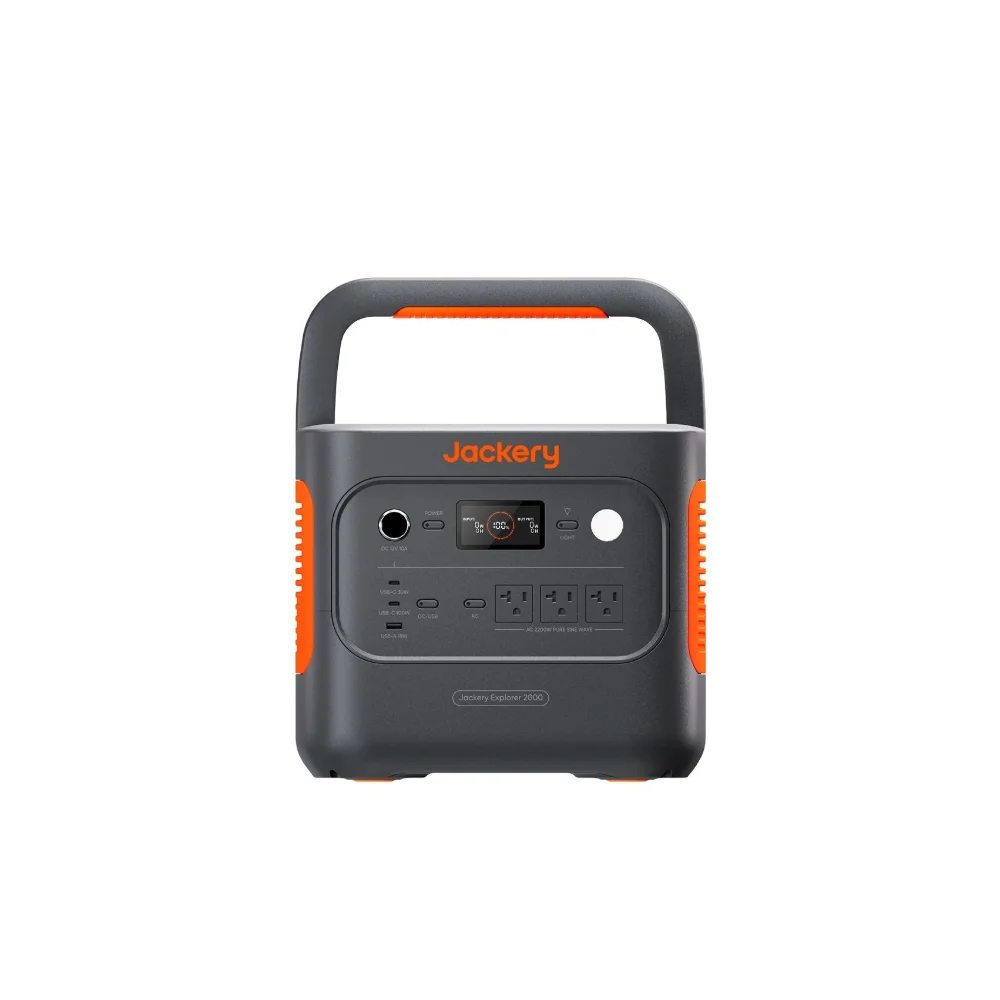
Jackery keeps its app deliberately simple — Bluetooth-only, no Wi-Fi module to configure, no cloud account required for basic control. In testing summarized by BackupPowerHub, that simplicity translates into real numbers: about a 96% first-try connection success rate and an average connect time of roughly 8 seconds, with app-related battery drain around 6% — among the lowest of the group. The catch is range and reach: Bluetooth tops out around 30 feet, and because there’s no Wi-Fi bridge, you can’t check your Jackery’s status or flip a switch when you’re not standing near it. For someone who mainly wants to glance at a charge level or toggle an output from across the campsite or garage, that’s rarely a real limitation. For anyone who wants to monitor a whole-home backup setup from work, it is.
Bluetti: more features, more friction
Bluetti’s app is the most feature-rich of the four — Wi-Fi connectivity enables genuine remote monitoring, up to 30 days of usage history, and monitoring of grid frequency and internal temperature that the Bluetooth-only competitors simply can’t offer. The cost shows up in the same testing data: roughly an 84% connection success rate, a Wi-Fi setup failure rate near 40%, and battery drain around 14% from ongoing app connectivity — more than double Jackery’s. Entropy Survival’s brand-by-brand comparison also noted that Bluetti’s app issues generate more support tickets than EcoFlow’s, which tracks with a more complex feature set having more points of failure. If remote monitoring matters enough to you to accept a rougher setup experience, Bluetti delivers on the feature; if you just want it to connect and stay connected, that failure rate is worth weighing.
EcoFlow: the most polished experience
Across independent write-ups, EcoFlow’s app consistently comes up as the easiest to use of the major brands — a cleaner interface, more intuitive setup flow, and Wi-Fi remote monitoring without the setup friction reported for Bluetti. EcoFlow doesn’t publish the same granular connection-success statistics as the Jackery/Bluetti comparison, but the qualitative consensus across reviewers is that it’s the app most people find pleasant to actually use day to day, not just functional.
Anker SOLIX: capable, but not the easiest to learn
Anker SOLIX’s app supports the same Wi-Fi remote monitoring as EcoFlow and Bluetti, but multiple comparisons describe it as having a steeper learning curve — more menus and settings to work through before the interface feels intuitive. It’s not reported as unreliable, just less immediately approachable for a first-time user than EcoFlow’s app. If you’re comparing an Anker SOLIX unit against an EcoFlow model on features alone, budget a little extra time to get comfortable with the app before you judge it.
Does any of this actually matter for your use case?
If you mainly want to check charge level and toggle outputs while you’re standing next to the unit — camping, a garage, a workshop — Jackery’s Bluetooth-only simplicity and low battery drain make a real practical difference, and you never touch the drawbacks. If you’re setting up a whole-home backup system and want to glance at your battery level from your phone while you’re at the office, only Bluetti, EcoFlow, or Anker SOLIX’s Wi-Fi-enabled apps can do that at all — and among those three, EcoFlow’s reputation for ease of use is the most consistently reported advantage.
FAQ
Does a power station work fine without ever using the app?
Yes — every major brand’s unit functions fully from its physical buttons and display. The app adds convenience and, for Wi-Fi-enabled brands, remote monitoring; it’s never required for core charging and output functions.
Does using the app drain the power station’s battery?
Slightly, yes — maintaining a Bluetooth or Wi-Fi connection uses a small amount of standby power. The comparison above found this ranged from roughly 6% (Jackery, Bluetooth-only) to about 14% (Bluetti, Bluetooth+Wi-Fi) in the cited testing, though real-world drain varies with how often the app is actively connected.
Can I control these power stations without Wi-Fi at home?
Yes, for all four brands — Bluetooth works independently of any home network. Wi-Fi is only required for remote monitoring away from the unit’s Bluetooth range.
Which app is best for a first-time power station owner?
Based on the sources compared here, EcoFlow’s app is the one most consistently described as intuitive for new users, while Jackery’s app is the simplest because there’s less to configure in the first place.
Bottom line
There’s no single “best” app — there’s a best app for what you’re actually trying to do. Jackery trades remote access for reliability and low battery drain. Bluetti trades setup friction and battery life for the most monitoring features. EcoFlow aims for the middle ground with a genuinely easy interface, and Anker SOLIX is capable once you’re past its learning curve. Match the app to how far from the unit you actually plan to be when you check it.
This post may include affiliate links — if you buy through them, we may earn a small commission at no extra cost to you. It doesn’t change what we cover or how we rank anything.
Sources externes citées
- BackupPowerHub — Jackery vs. Bluetti App Comparison
- Entropy Survival — EcoFlow vs. Jackery vs. Bluetti vs. Anker 2026 Comparison